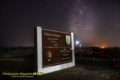

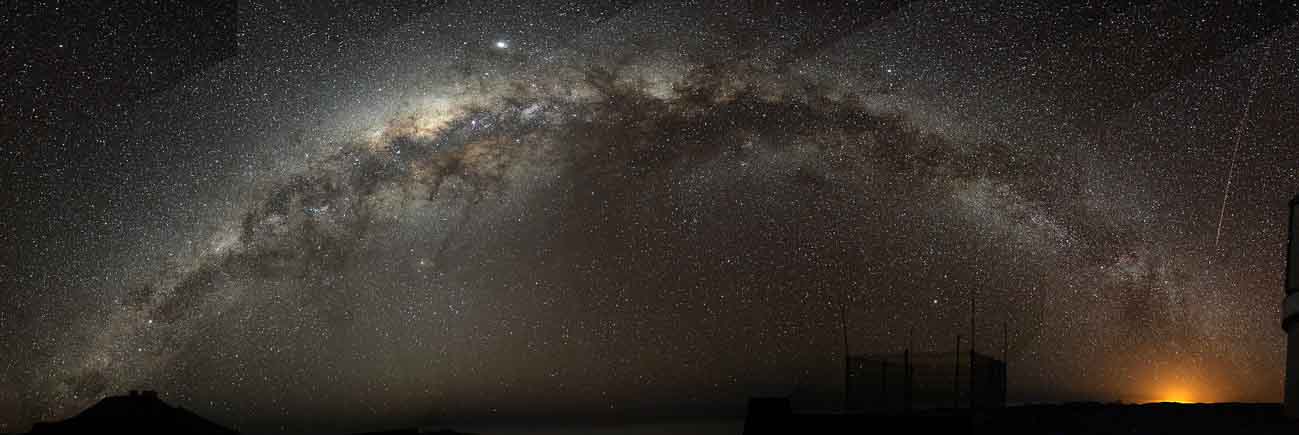
Milky Way photography
Use a Tripod:
You must be on a tripod. A good sturdy tripod is necessary if it is windy. If the tripod moves, your picture will blur.
Focus:
Use live view. To focus the camera in the dark, use your camera’s live view, zoom in, and focus on a bright star. You can also use the infinity setting on your lens but do several test shots to determine accuracy. It can be a little off on some lenses. If you have subject matter like a tree, shine a flashlight on the tree to obtain focus, then carefully, without touching the focus, switch it to manual focus. Do this each time you change your shot.
MILKY WAY PHOTOGRAPHY CAMERA SETTINGS
Manual Mode:
Set your camera to manual mode so you can control the aperture and the shutter speed.
ISO:
Start with ISO 3200. This is a common starting point, and you will adjust from here. Remember, the higher the ISO, the more digital noise. Vary it based on your surroundings.
Aperture:
The depth of field isn’t critical on these shots, but letting the light in the camera is; therefore, you shoot wide open. (The lowest aperture your camera will allow). Ex: 2.8
Shutter Speed:
Now that the ISO and aperture are set in manual mode, roll your shutter speed until your meter reads (0) zero. Take a test shot and adjust from there.
Remember, the Earth is rotating. If you leave the shutter open for too long, you will see star trails that will not make for a crisp image. You can create star trails specifically, but that’s not what we are going for here since we start with Milky Way photography. We want crisp non-star-trail images when doing this.
Here is the formula to avoid star trails. The 500 rule – Divide 500 by the focal length of your lens. So, if you have a 24mm lens on a full-frame camera, you will set your shutter speed to 20 sec. (500/24 = 20.83). If you are using a crop sensor camera, first do the math of the crop sensor to find the focal length. Cannon is 1.6, Nikon is 1.5. Convert to full-frame focal length, then use the formula. Nikon 18mm x 1.5= 27mm – 500/27 = 18.51 seconds.
White Balance:
Shoot your night photography raw so you can easily edit your images and have more information to work with than if you shot JPEG. You can change your white balance settings in live view mode and see which looks best for each shot. You can shoot in the shade or cloud as a standard setting and adjust things later. Add color in your Milky Way to match the subject while editing the image, then, if you would like to.
Those are all essential starting points for doing your Milky Way shots. You will want to find some exciting foregrounds to make your image dynamic. Doing routine old Milky Way shots without foreground or subject matter will not win you any awards.
PAINTING WITH LIGHT
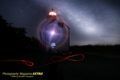
In the hours of the night, light painting transforms the ordinary into something extraordinary. With a flicker of movement, a light source—be it a flashlight, a sparkler, or an LED wand—becomes a brush, and the world around you, a canvas. Every motion becomes deliberate, drawing shapes, tracing patterns, and leaving marks that stretch and shift in space. The darkness isn’t a backdrop; it’s the stage, a medium that contrasts the fleeting glow, allowing the light to dance and speak in its own language.
It’s a delicate balance between spontaneity and precision. Every movement is a moment, ephemeral yet eternal in its creation. The unpredictability of the light itself—how it bends, fades, or lingers—introduces an element of chance. It’s an art form that thrives on the present, where what’s made in an instant cannot be repeated, yet can be forever remembered in the silence of the image. The light becomes both subject and artist, creating something that is at once unique and timeless.
PAINTING WITH LIGHT CAMERA SETTINGS
How to Create Light Paintings in Photography
Set Up Your Camera
Begin by placing your camera on a tripod to ensure stability. Set the camera to manual mode and adjust your settings. Choose a long shutter speed—somewhere between 20 and 30 seconds is typical. Lower the ISO to minimize noise, and use a small aperture (2.8 is low) to allow more light into the image.
Choose Your Light Source
Select your light source. A flashlight, glow stick, or LED wand works well. The brighter the light, the more intense your painting will appear in the final image.
Create Your Design
With the camera settings ready, turn off all other lights. Begin moving your light source within the frame, creating shapes, patterns, or words. You can use the light to draw, write, or trace objects, depending on your artistic vision.
Review and Adjust
After each exposure, check your results. If the light trails are too faint, increase the brightness or adjust the exposure time. If the light is too harsh, try dimming your light source or reducing the exposure time. Keep experimenting until you find the right balance of light and darkness.